Added a "No email" selection for email templates per customer class
If you want to use the Thank You emails by Customer Class, you now have an option of "No email" to select after choosing a customer class so you will NOT send an email to the selected Class in the 3.100 release. This would be useful if you do not want to spam the Inbox of your frequent golfers and members who golf multiple times a week but do want to send thank you emails to that particular class.
To set up a customer class to NOT receive emails
-
Go to Starter Hut.
-
Select Admin | Course Information.
-
Select the course from the list if applicable. The Manage Course screen displays.
-
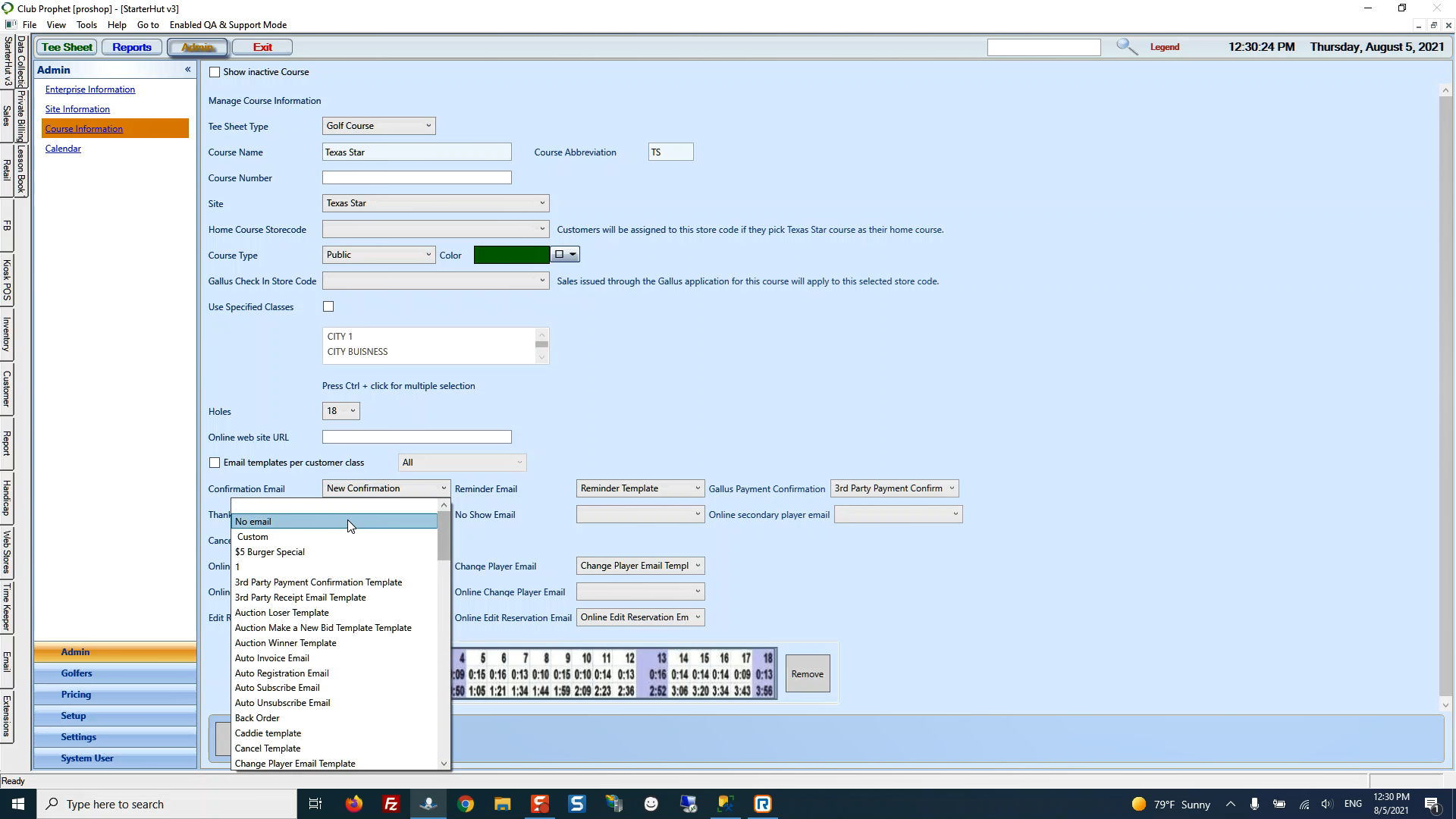
In the middle of this screen, select the Email templates per customer class checkbox then select the class for which you want to use.
-
From the desired email template drop-down, select No email so that an email will not be sent to the class selected in the step above.
-
Select the Save button below.
Shout out to David Robinson @windmillgolf.com